

JavaScript execution tool
The Execute JavaScript Code action allows you to run custom JavaScript directly inside your bot flow. This makes it possible to handle complex logic without relying on external automation tools such as Zapier.
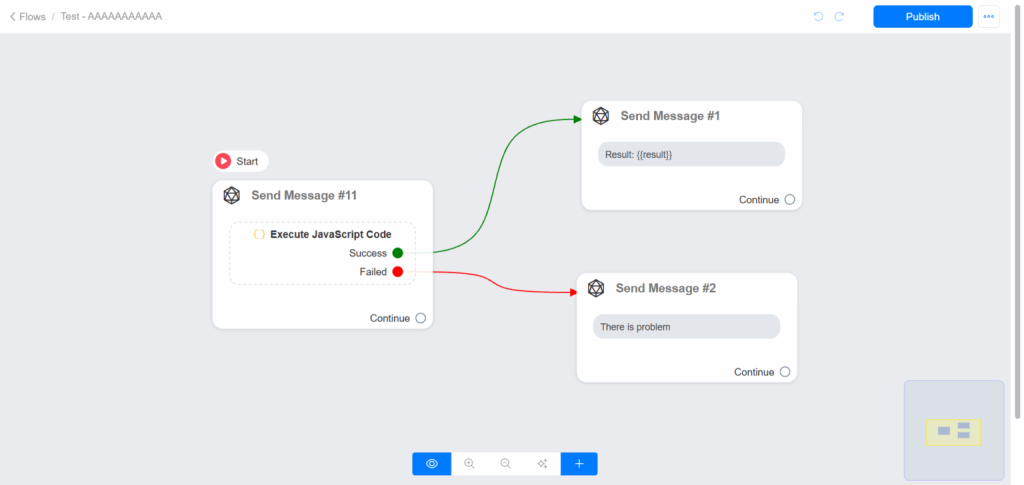
With this tool, you can manipulate data, validate inputs, process JSON, and dynamically control the flow based on execution results.
How to Add Execute JavaScript Code in a flow
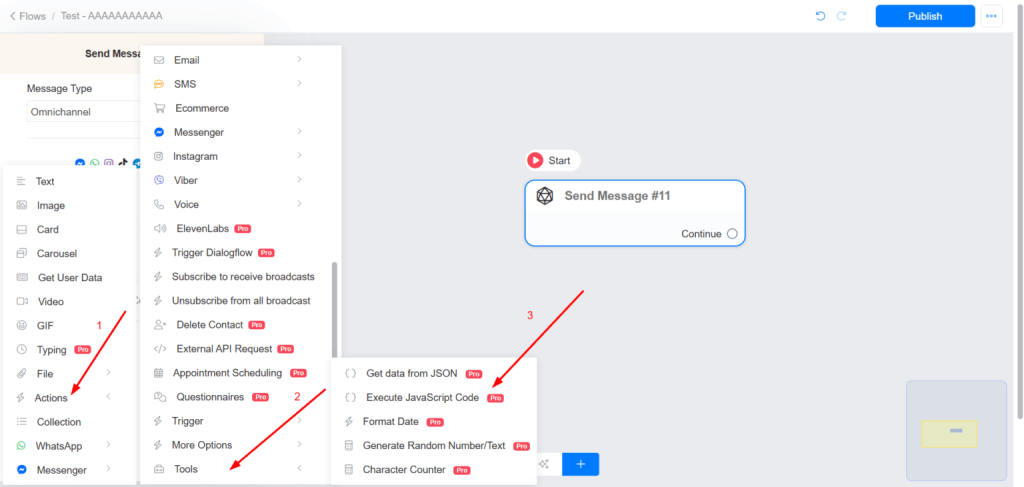
1 – Click Actions
2 – Select Tools
3 – Choose Execute JavaScript Code
Enter the JavaScript logic you want to execute. The code must return a value (text, number, JSON, arrays, …).
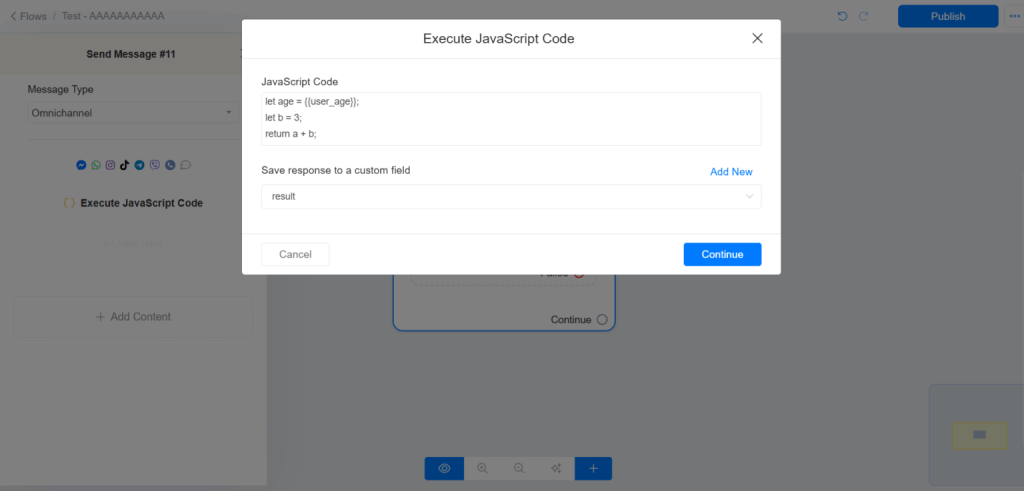
If any error occured with your code or your code is invalid, we will log an error. Please check error log in this case.
Limitations
For security reason, your code can’t access files or internet. For example, you can not use this tool to make API calls. Use our External Request tool instead. Your code can only run pure JavaScript codes, you can’t include any other librariy.